Take bookings on your store and at the till. Never a double booking.
Booking Slot adds a date, time and staff picker to the Shopify products you choose. Customers pay through your normal checkout, staff see a live calendar, and reminders go out by SMS. Correctness is on every plan, including Free.
Free plan with 20 bookings a month. Paid plans start at £14.99 with a 14-day trial. Billed through Shopify.
Everything a booking needs, without gating the basics
Other booking apps charge extra for the parts that stop mistakes. We do not. Conflict checking, holds, buffers and time off are on every plan. Plans only change how much you can book, how many staff or rooms you run, and how many texts you send.
Appointments and classes
One-to-one services, group classes with seat limits, and multi-staff bookings. Bookable items stay normal Shopify products, so your theme, discounts and reporting keep working.
Staff, rooms and equipment
Each service is offered by the resources you choose. Customers pick a person or leave it on any available, and the app assigns the first free one automatically.
Holds that expire on their own
Choosing a time holds it while the customer checks out. If they walk away the slot comes back on its own, so you never lose a booking to an abandoned cart.
Buffers and time off
Set clean-down or travel time between bookings and block out holidays or breaks per person. Time off is respected on every plan.
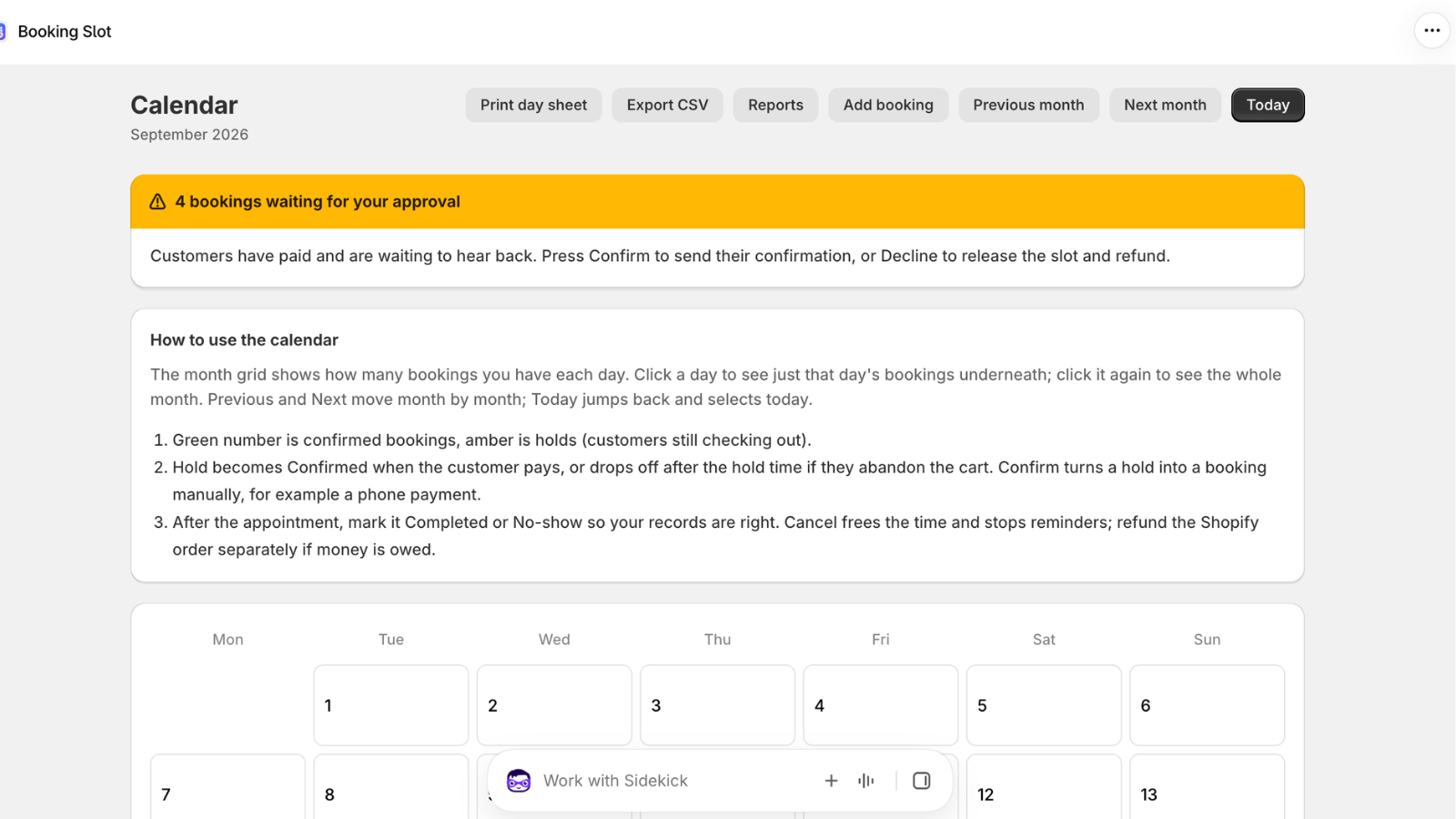
A calendar built for the counter
Month grid with per-day counts, confirmed, held and completed at a glance, and the day list underneath. Mark completed or no-show, cancel or reschedule from one screen.
Reminders by SMS and email
Automatic confirmations and reminders, with a link customers use to reschedule or cancel themselves up to your cutoff. Fewer no-shows, fewer phone calls.
How it works
Set up in an afternoon. The app walks you through these four steps on its own Calendar page until they are done.
Create a service
Name it, set the duration, buffer, capacity and how far ahead people can book. Pick a preset to fill in sensible defaults.
Add staff or resources
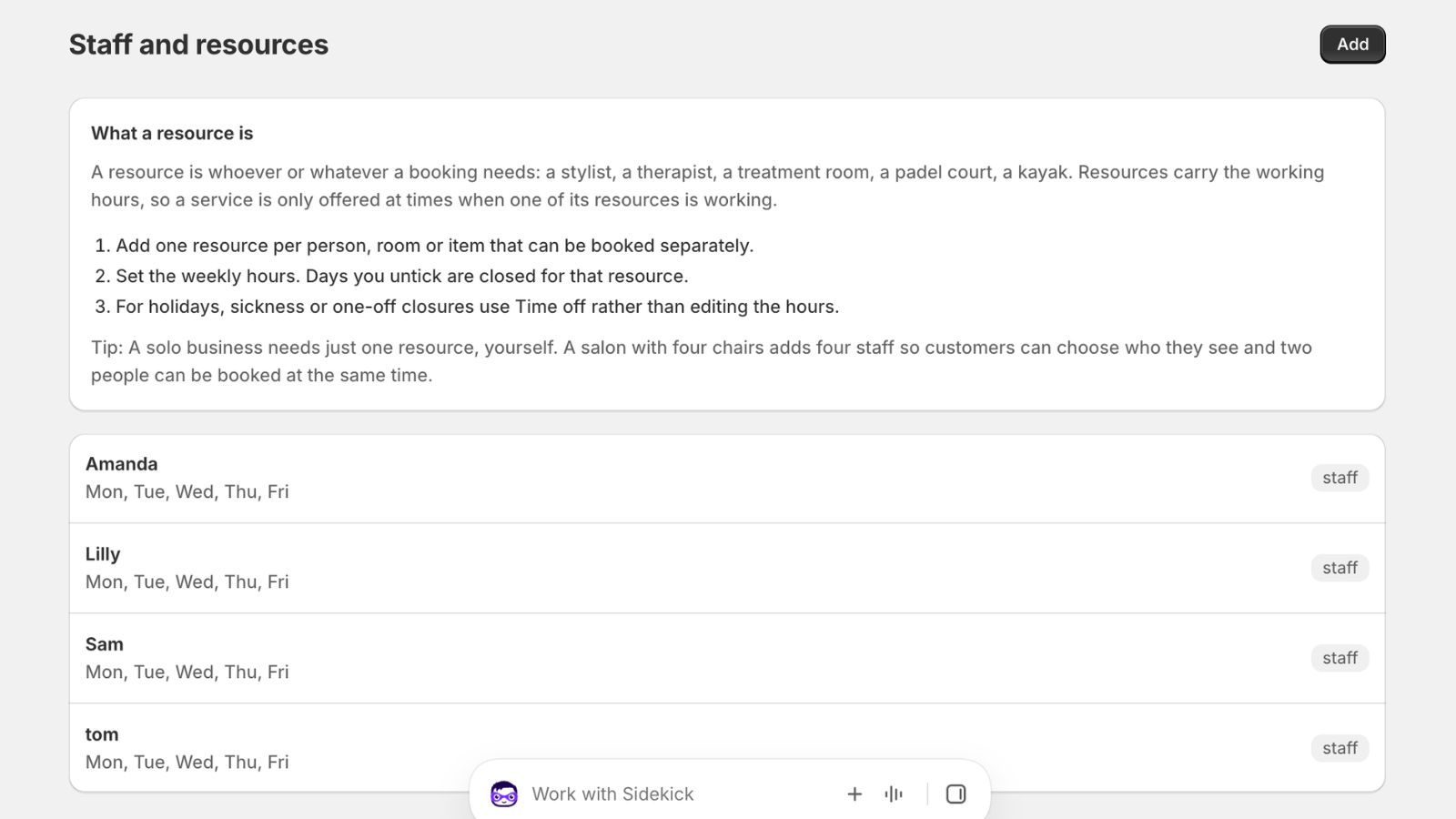
People, chairs, rooms, courts or vans. Give each one working hours and time off. Attach them to the services they can deliver.
Link a product
Choose the Shopify product that customers buy for this service. The picker appears on that product page and nowhere else.
Take bookings
Customers choose a time and pay at checkout. Payment confirms the booking. Cancelling or refunding the order releases the slot.
Built for shops that sell time as well as things
Presets set the right defaults for your kind of business. They only change starting values, so nothing is locked in and you can mix types in one store.
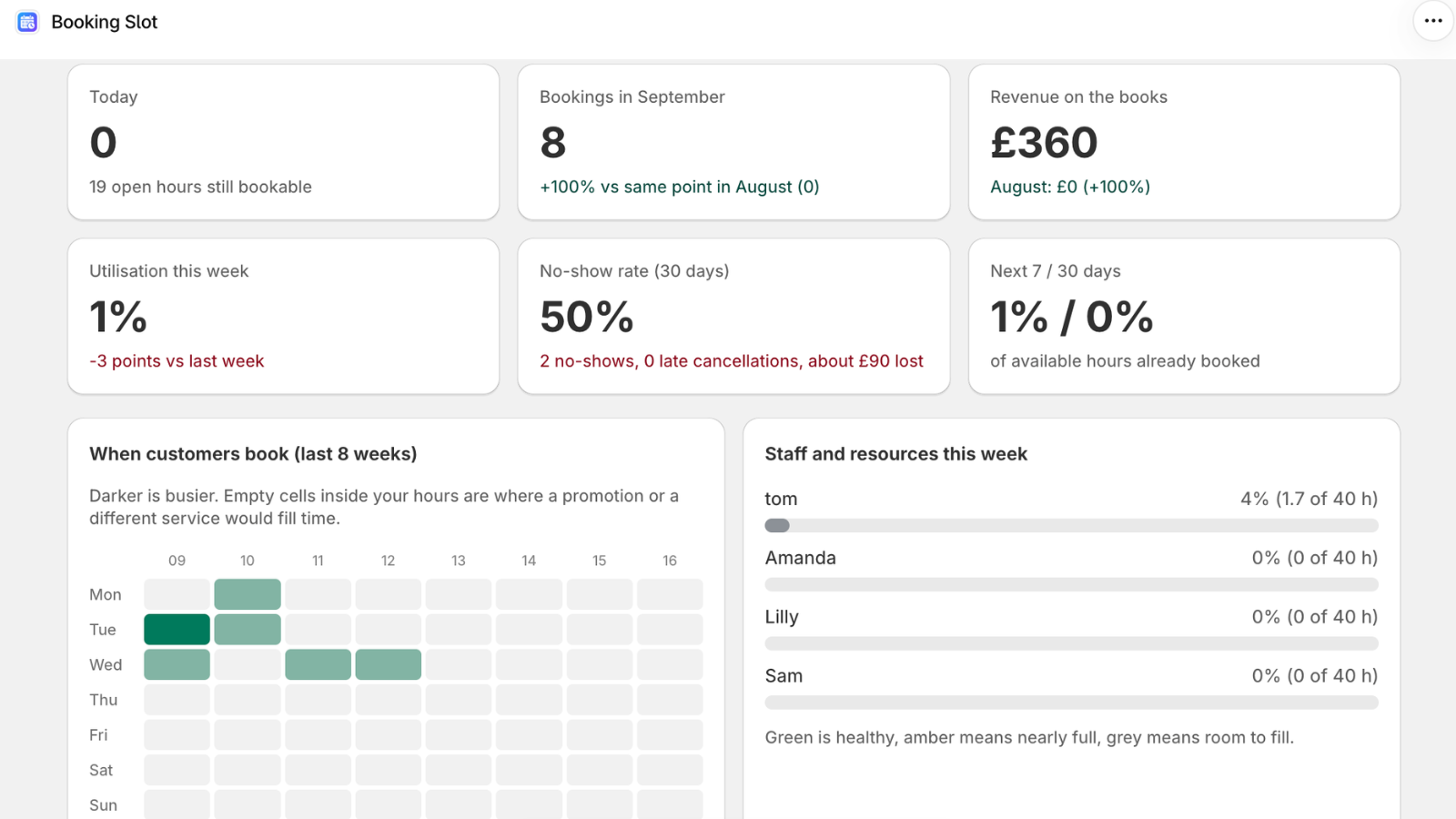
What it looks like inside
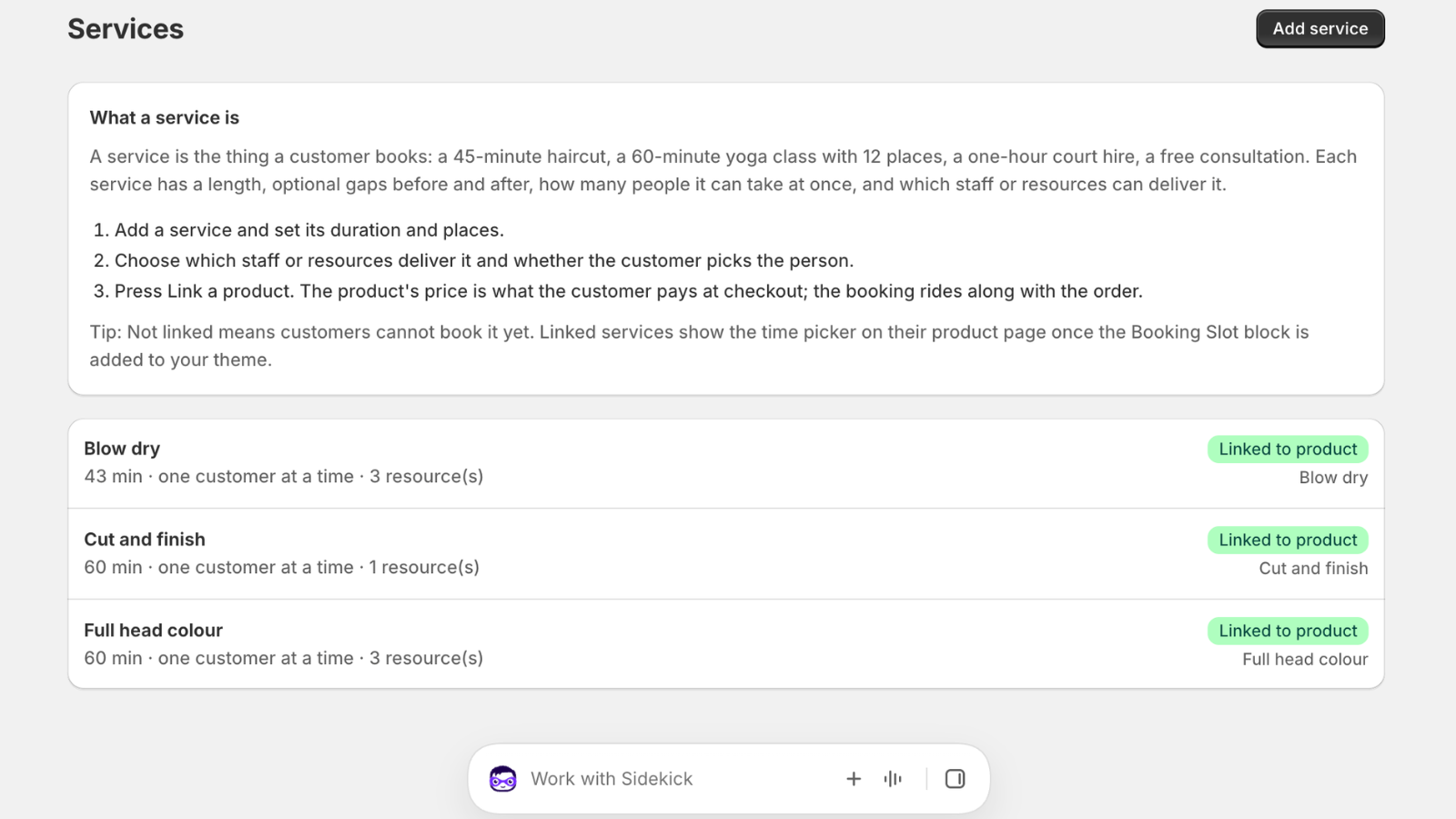
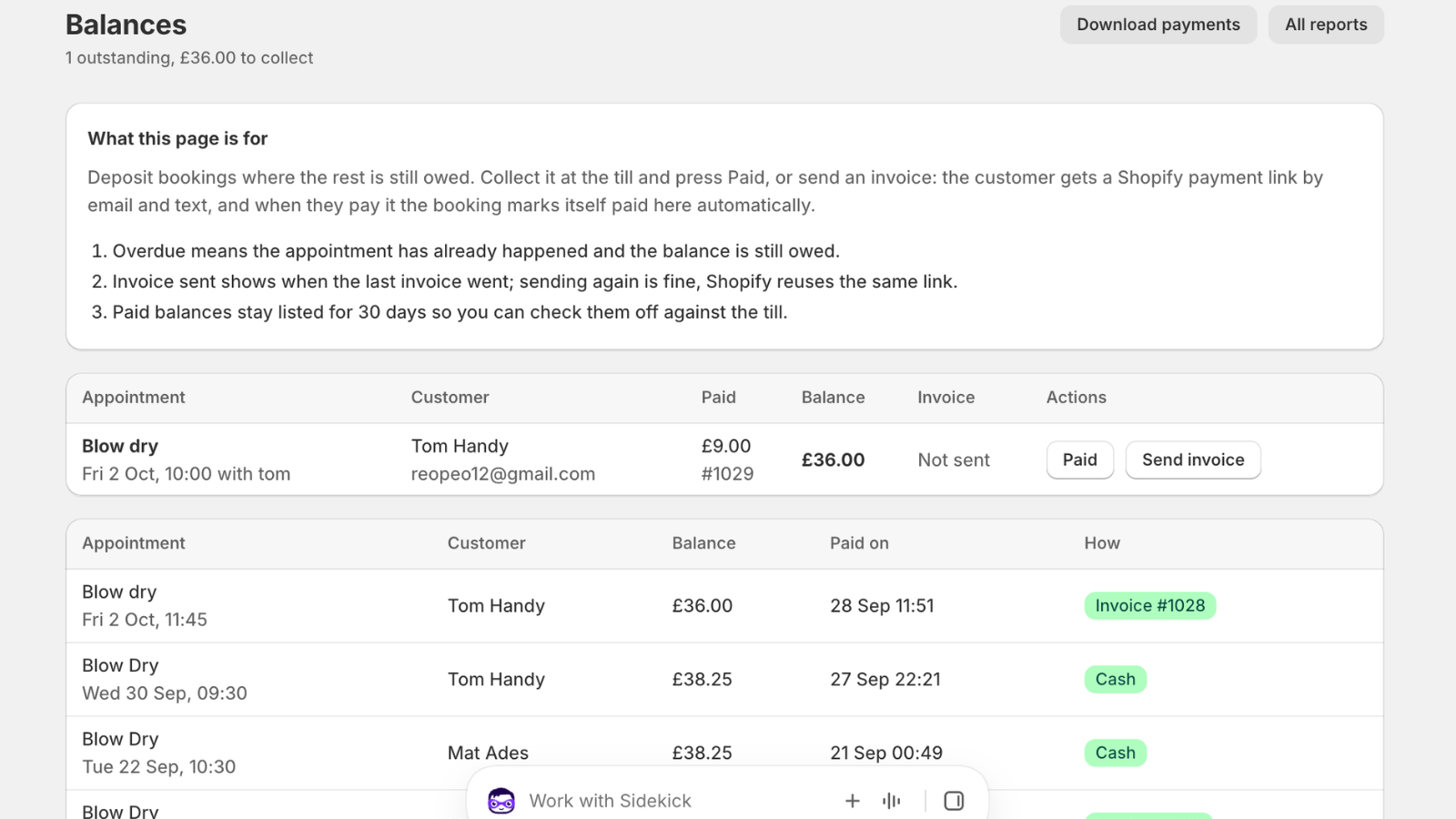
Four screens do most of the work: the Calendar, your services, your staff and resources, and the balances still owed.
Pricing
Billed through Shopify in pounds. Every paid plan has a 14-day free trial. Pay annually and save 20 percent.
Free
- 1 staff member or resource
- 20 bookings a month
- Holds, buffers and time off
- Email confirmations
- Small "Powered by Booking Slot" line
Starter
- 2 staff or resources
- Unlimited bookings
- Deposits with balance collection
- 50 SMS a month
- No branding
Growth
- 8 staff or resources
- Group classes and seat limits
- Shopify POS booking at the till
- Google Calendar sync
- 250 SMS a month
Pro
- Unlimited staff and resources
- Everything in Growth
- 1,000 SMS a month
- Priority support
- Multi-location, coming soon
Need more texts? SMS top-ups are £4.99 for 100 and £19.99 for 500, bought once through Shopify and used whenever you need them. Cancel any plan from inside the app.
What Booking Slot does, and what it does not
Fewer surprises after install. This is the honest scope of the app today.
It does
- Put a date, time and staff picker on the products you link
- Hold slots during checkout and release them if the customer leaves
- Confirm on payment, release on cancel or refund
- Prevent double bookings across online and POS
- Send SMS and email confirmations and reminders
- Let customers reschedule or cancel themselves within your cutoff
- Run group classes with seat limits
It does not
- Take payments itself. Customers pay through Shopify checkout
- Replace your theme. It adds one block to linked product pages
- Offer a public booking page outside your Shopify store
- Support multi-day course series yet. This is on the roadmap
- Send marketing messages. Reminders and confirmations only
- Work with stores that are not on Shopify
Questions merchants ask
Does Booking Slot work with Shopify POS?
Yes. Staff can book a customer in at the till using the same availability engine as your online store, so a walk-in can never take a slot that has already been booked online. POS booking is included on Growth and Pro.
Are double bookings really impossible on the free plan?
Yes. Conflict checking, holds, buffers and staff time off are on every plan including Free. We only limit volume, resources and SMS by plan, never correctness.
Can I reschedule a booking without refunding the order?
Yes. Move a booking to a new time from the Calendar and the original Shopify order stays as it is. Customers can also reschedule themselves from the link in their confirmation, up to the cutoff you set.
Will the booking picker show on all my products?
No. The picker only renders on products you have linked to a service. Everything else on your store is untouched, and you can unlink a product at any time.
How are SMS reminders billed?
Each paid plan includes a monthly SMS allowance. If you need more, top-ups of 100 or 500 messages are available as one-time purchases through Shopify billing and never expire.
Do I need a separate payment provider?
No. Customers pay through your normal Shopify checkout with whatever payment methods you already offer. Booking Slot does not take payments itself and never sees card details.
What happens to my data if I uninstall?
Your bookings, services and staff are kept for 48 hours so a reinstall picks up where you left off. After that they are deleted in line with Shopify's data policies.
Start taking bookings today
Install free, link one product, and take your first booking before the day is out. Upgrade only when you outgrow the free plan.