Padel and tennis court bookings on Shopify
Booking Slot's engine started life running padel courts. A court is a resource, a booking is an interval, and two groups can never hold the same court at the same time. Sell court time as a Shopify product with variants for peak and off-peak.
The problems this solves
- Court clashes when the desk and the website both take bookings
- Peak and off-peak pricing needs two products in most apps
- Regular groups want the same court every week
- Coaches need courts blocked for lessons
How Booking Slot handles it
Court-level availability
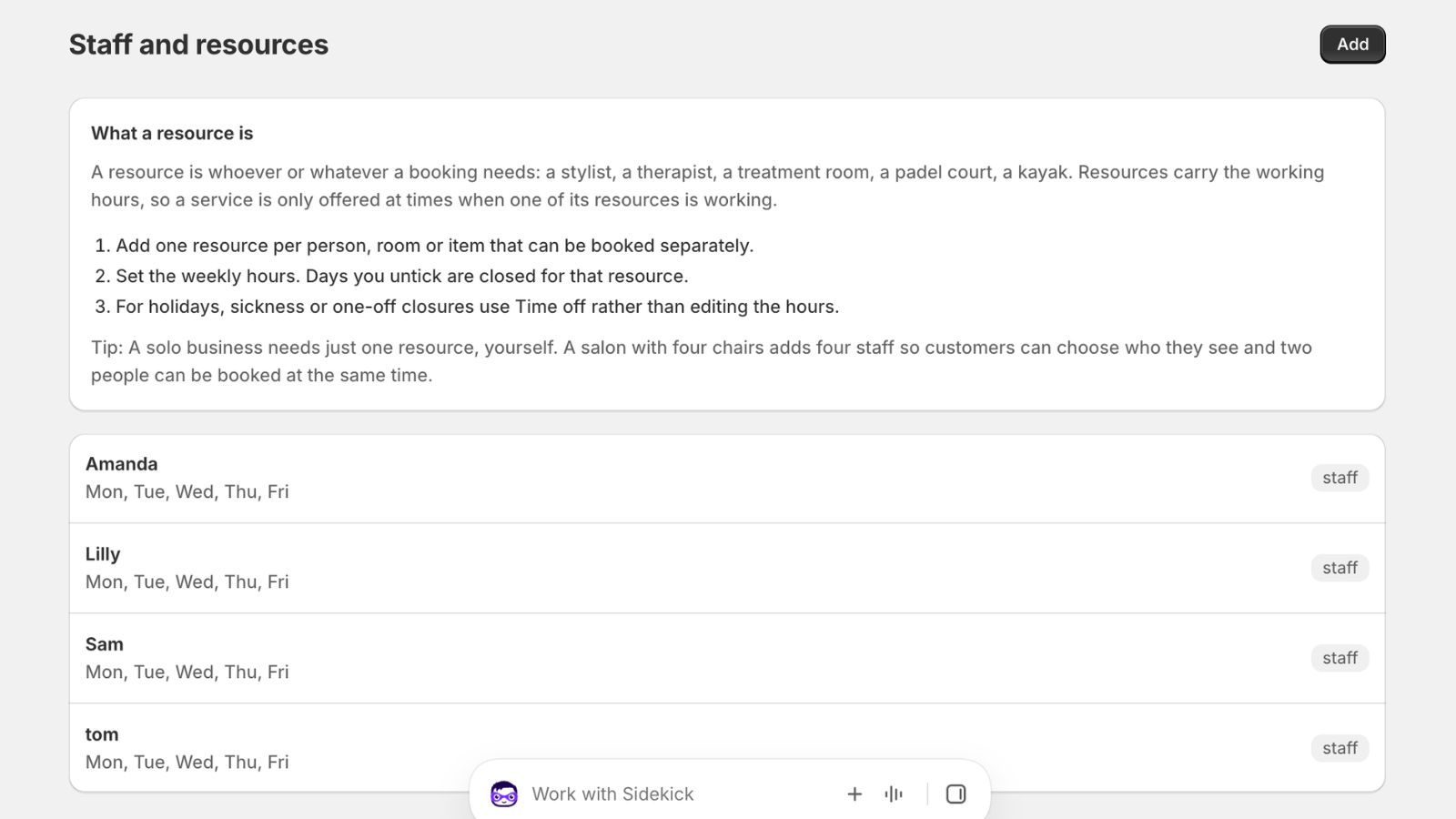
Each court is a resource. Customers pick a court or any available court.
Variants for pricing
Use Shopify variants for peak and off-peak. The picker respects whichever the customer picks.
Coaching blocks
Block a court for lessons with time off, or make the coach a resource for 1:1 bookings.
Hourly or any length
60, 90 or 120 minute bookings on the same court without gaps between them.
Choose the court preset during setup and these defaults are filled in for you.
This engine started on padel courts
Booking Slot's availability engine was not designed for salons and adapted to courts. It went the other way round.
The original problem was court booking: a handful of courts, an hour at a time, a club desk taking bookings on the phone while players booked online, and the absolute requirement that two groups never arrive for the same court. Everything that makes the app good at appointments came from solving that first, because a court clash is immediate and public in a way a salon clash is not. Nobody is standing on the baseline waiting for you to sort it out.
A court is a resource. A booking is an interval on that court. Two intervals on the same court cannot overlap, and the check happens before the money is taken, not after.
A double-booked court is two groups, eight people, and a conversation you have to have on the spot.
Court-level availability, not club-level
The distinction matters. A club with four courts does not have one calendar with four times the capacity; it has four calendars that each hold one booking at a time.
Each court in Booking Slot is its own resource with its own hours. Court three can be out for resurfacing for a fortnight while the other three carry on. An indoor court can run later than the outdoor ones in winter. A court kept back for coaching on Tuesday evenings is blocked for that period only.
Players either pick a specific court, which matters to regulars who have a preference, or leave it on any available and take the first free one. Leaving it open spreads bookings across the courts rather than piling everything onto court one.
- Each court is a resource with its own hours and closures
- Players choose a court or take any available
- Sixty, ninety or one hundred and twenty minute bookings, no fixed grid
- Back-to-back bookings with no wasted gap between them
Peak and off-peak without two products
Court pricing almost always varies by time, and most booking apps make you create a separate product for each price, which doubles the number of pages to maintain and splits your reporting.
Use Shopify variants instead. One Court hire product with peak and off-peak variants, priced differently, and the picker respects whichever the player selects. Weekend and weekday variants work the same way, as do member and non-member if you prefer that to a discount.
For member pricing specifically, Shopify customer tags plus an automatic discount is usually cleaner. The booking itself is identical; the price the tagged customer sees at checkout is lower, and you are not maintaining a parallel set of products.
The desk, coaching blocks and regular groups
Clubs take a lot of bookings at reception, and the desk is exactly where clashes come from when the till and the website are separate systems.
Booking Slot's POS booking calls the same availability and the same hold as the website, in the same second, with no sync step in between. Your desk staff book a court on an iPad and the website cannot offer it. If the connection drops, the till shows an error rather than guessing, which is the right behaviour even though it is the less impressive one. Booking at the counter is on the Growth plan using Shopify POS Lite or Pro.
Coaching is handled either as time off blocking a court for the lesson, or by making the coach a resource in their own right for one-to-one bookings. Either works; the first is simpler if your coaches use whichever court is free.
The gap worth naming is recurring bookings. A group that wants the same court at the same time every Tuesday for a season has to be booked session by session today. It is the single most requested item on the roadmap for this trade, and it is not in the product yet.
What it costs a club
Plan limits count resources, and each court is one. A two-court club is Starter at fourteen ninety-nine a month. Three to eight courts is Growth at thirty-nine ninety-nine, which is where booking at the desk and Google Calendar arrive. More than eight courts is Pro at seventy-nine ninety-nine. Annual billing takes twenty percent off, and there is no percentage of court revenue at any level.
Deposits are available from Starter if you want something upfront on peak weekend slots. Reminder texts are bundled rather than charged per message, which matters when you are sending one for every booking across four courts.
What it does not do yet: recurring weekly bookings, leagues or ladders, multi-location, and waitlists. What it does do is make it impossible to sell the same court twice, on any plan, from either the website or the desk.
Questions about Shopify court booking app
Can members book at a lower rate than non-members?
Yes, using Shopify's own tools rather than anything bespoke. Tag your members as customers and set up an automatic discount that applies to tagged accounts, and a logged-in member sees the member price at checkout while everyone else pays full. The booking itself is identical either way, so you are not maintaining two sets of products or two calendars. The alternative, if you would rather show the prices separately, is peak and off-peak or member and non-member variants on one court hire product.
Can I take a deposit on a court booking?
Yes, from the Starter plan upward, set per service as a fixed amount or a percentage. Most clubs use it selectively rather than everywhere: a deposit on peak weekend slots, which are the expensive ones to lose, and full payment or nothing on quiet weekday mornings. The deposit is a line in your normal Shopify checkout, so it lands in your usual payout with no separate payment provider, and the balance is settled at the desk when the group arrives or by a Shopify payment link beforehand.
Can regular groups book the same slot every week?
Not automatically, and this is the honest gap for clubs. A group that wants court two at seven every Tuesday for a season has to book each session individually today. Recurring bookings are the single most requested item on the roadmap for this trade, and they are not in the product yet. If standing weekly bookings account for most of your court time, that may be a blocker, and it is better to know now. Email before installing and you will get a straight answer about timing.
Can the desk book courts at reception?
Yes, through Shopify POS on the Growth and Pro plans, using either POS Lite or POS Pro. The booking screen calls the same availability and the same hold as the website, in the same second, so your desk staff and a player on their phone cannot take the same court. If the connection drops, the till shows an error rather than guessing from a cached list, which is less impressive and considerably better than discovering the clash when two groups arrive. Several bookings go through one transaction for a group taking multiple courts.
Try Booking Slot free on your store
Install in a few minutes, link one product and take a test booking. Free for one resource and 20 bookings a month, then flat pricing from £14.99.