
Yoga and pilates class bookings on your Shopify store
Most studios already sell mats, blocks and memberships on Shopify. Booking Slot lets you sell class places in the same basket, with a mat limit per class and a teacher calendar that respects who is actually teaching.
The problems this solves
- Selling retail in one system and classes in another
- Overselling a small studio's mat count
- Teachers swapping cover at short notice
- Private sessions and group classes needing different rules
How Booking Slot handles it
Group and private in one app
A group class with 12 mats and a private 1:1 with a 15-minute buffer can both live on the same store.
Mat limits
Capacity per class, counted live, so the eighth person cannot book a seven-mat room.
Teacher calendars
Each teacher has hours and time off. Reassign a class when cover is arranged.
One basket
Customers buy a class and a mat in one checkout, one order, one email.
Choose the class preset during setup and these defaults are filled in for you.
The two-systems problem most studios already have
A lot of yoga and pilates studios arrive at this page already running two things: a Shopify store selling mats, blocks, straps and merchandise, and a separate class booking platform that handles the timetable.
Two systems means two payment providers, two sets of customer records, two payouts and two sets of books to reconcile at month end. The reconciliation is the cost nobody quotes you when you sign up for the second one.
Putting class places into the same Shopify store means a student books Thursday's class and buys a mat in one basket, one order, one payout and one confirmation email. Discount codes work. Gift cards work, which matters more in this trade than most. Customer accounts, abandoned cart recovery and your existing reports all keep working, because a class place is a Shopify product with a time and a seat count attached.
The mat and the class belong in the same basket. They are both things the same person is buying from the same studio on the same afternoon.
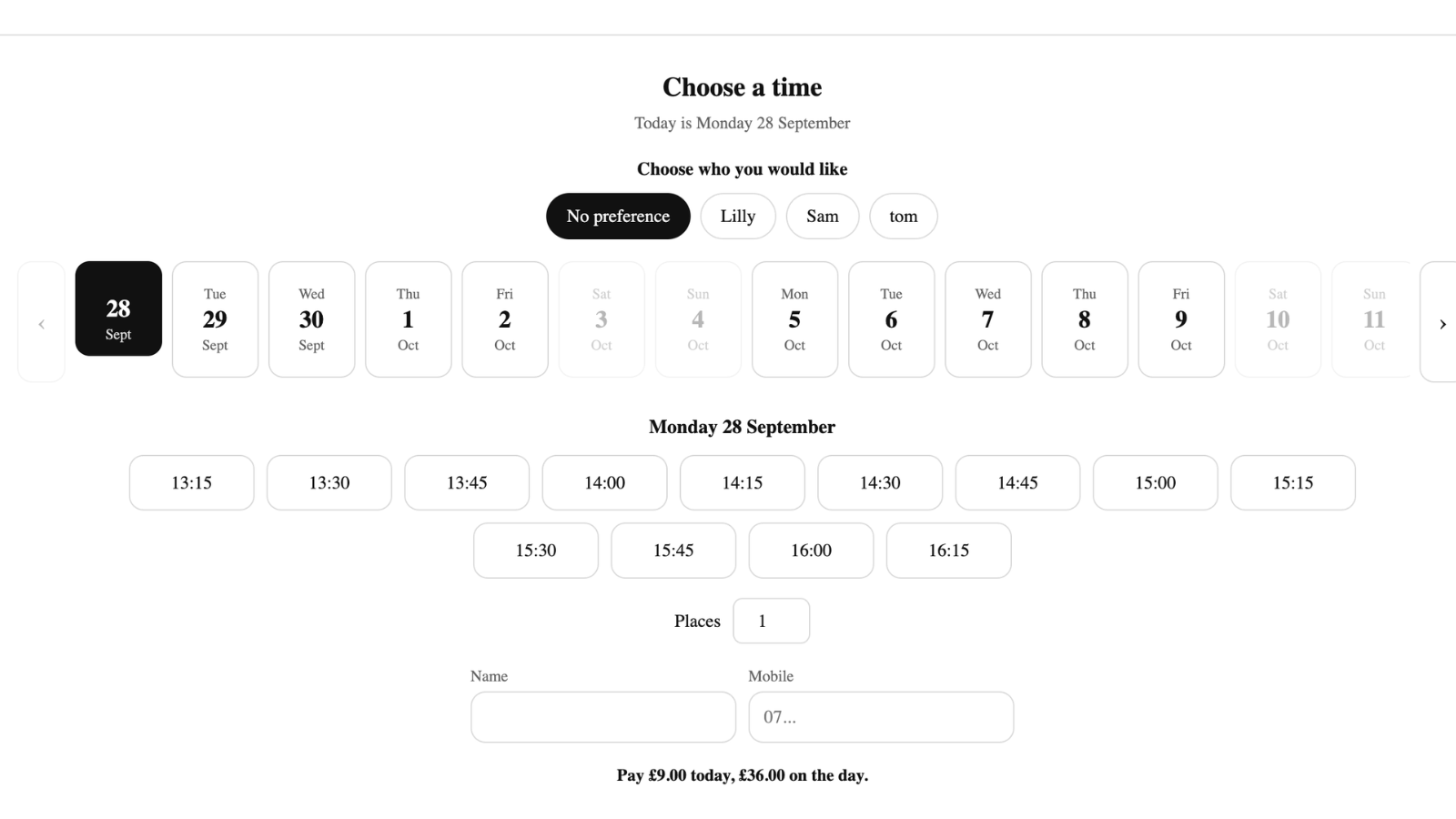
Mat limits, and the eighth person in a seven-mat room
Studio capacity is physical and unforgiving. If seven mats fit with space to move, the eighth booking is a problem you have to solve in person, in front of everyone, at two minutes to seven.
Capacity is set per class in Booking Slot and counted inside a database transaction. Two students taking the last mat at the same moment produce one success and one immediate refusal, before checkout, with the next session offered. The count cannot go over, including on the last place, which is the moment it is most likely to.
Different classes can have different limits in the same studio. A dynamic vinyasa class that needs room to move might cap at ten in a space where a restorative class caps at fourteen.
- Capacity per class, not one number for the studio
- Seats counted transactionally, so the last mat cannot go twice
- Seats shared only between classes with identical start times
- Students can book several places in one cart, atomically
Group classes and private sessions in one app
Most studios run both, and they behave differently enough that some apps force you to choose.
A group class is a shared start time with a mat limit. A private one-to-one is an exclusive appointment with its own duration and often a buffer behind it, because a private session needs the room reset before the next class comes in.
Both live on the same store in Booking Slot. The same teacher can have a Tuesday evening group class and Wednesday morning privates, and the engine will not offer a private session during a class or a class during a private. Privates are ordinary appointments, so they work on every plan including Free; group classes are on Growth.
Teachers, cover and the timetable as it stands
Each teacher is a resource with their own hours and time off, and a class is tied to one of them. A teacher away on a training week has nothing selling in that week, and a teacher cannot be leading two classes at once.
Cover is a reassignment from the Calendar. The students' bookings and confirmations are untouched, because it is the same class with a different teacher.
On building the timetable itself, the honest position: there is no dedicated timetable screen yet. A recurring weekly class is built from the teacher's hours, so a Tuesday and Thursday six o'clock flow is that teacher available six to seven on those two days, with the class service set to sixty minutes. It works and it is more fiddly than a timetable grid would be. That grid is on the roadmap.
What it costs a studio
A teacher running privates only can sit on the Free plan: one resource, twenty bookings a month, every scheduling rule on, and a small powered-by line on the picker.
Group classes arrive on Growth at thirty-nine ninety-nine a month, which covers eight teachers, unlimited bookings, booking at the counter through Shopify POS and Google Calendar for each teacher. Pricing is per studio rather than per student, so a mailing list of four hundred costs exactly what a list of forty does. Pro at seventy-nine ninety-nine is unlimited resources. Annual billing takes twenty percent off.
It will not replace a studio management platform that handles memberships, class passes and student histories. What it does is let one Shopify store sell your retail and your classes, with a seat count that cannot be exceeded.
Questions about Shopify yoga booking app
Can I sell class passes or memberships?
You can sell them, but Booking Slot cannot redeem them yet, and that distinction matters. Sell a ten-class pass as an ordinary Shopify product today and the money comes in as normal, but students then book each class separately rather than the app counting down their remaining credits. Automatic pass redemption is on the roadmap. If passes and memberships are how most of your revenue works, that gap is worth weighing honestly before installing rather than discovering afterwards. Drop-in class bookings with mat limits work fully today.
Can students cancel or move their own booking?
Yes, up to whatever cutoff you set, using the link in their confirmation and reminder. They open it, see their booking, and move or cancel it themselves without emailing you at ten at night. The seat goes straight back into availability, which is the real gain: a place released the evening before can be taken by someone else, whereas a student who simply does not turn up leaves a mat empty. Beyond your cutoff the link stops offering changes, so nobody moves a Saturday morning class at nine on Saturday.
Does it work with my current theme?
Yes, on any Online Store 2.0 theme. The picker is a theme app extension block, which means it adds itself to the product template rather than editing your theme's code, so there is nothing to break and nothing left behind if you uninstall. It appears only on the products you link to a class or a private session, so your mats, blocks, straps and merchandise stay exactly as they are. If your theme hides app blocks by default, you add it once in the theme editor.
Can I limit how far ahead students can book?
Yes, set per service, so different classes can behave differently. Studios typically open bookings two to four weeks ahead for regular classes, which keeps the timetable manageable without having people book into next spring. A workshop or a special event might be open further out. The same setting works the other way too: you can require a minimum amount of notice, so nobody books into a class starting in ten minutes when the teacher has already counted the mats out.
Try Booking Slot free on your store
Install in a few minutes, link one product and take a test booking. Free for one resource and 20 bookings a month, then flat pricing from £14.99.