
Why Booking Slot cannot double book, on any plan
Every one-star review of a booking app that we read came down to one of a handful of failures: a slot sold twice, a buffer ignored, a holiday not respected, or a widget that disappeared when a free plan hit its limit. We designed the engine so those cannot happen, and we refuse to charge extra for it.
The problems this solves
- Conflict checks that run after the sale
- Buffers and time off as premium features
- Calendar sync as the only protection
- Widgets vanishing when a plan limit is hit
How Booking Slot handles it
Interval model
A booking is a start and end plus its buffers. Conflicts are checked against every booking on that resource before a hold is created.
Transactional holds
Choosing a time creates a hold inside a database transaction. Two people cannot hold the same interval.
Same engine everywhere
Storefront and POS call the same endpoints. There is no second source of truth.
Never gated
Conflict checking, holds, buffers and time off are on Free. We limit volume, not correctness.
What actually causes a double booking
Every double booking comes from the same root cause: the app decided a slot was free at a moment when it was not, and nothing stopped the sale. There are four common ways that happens, and they are worth knowing because they tell you what to ask a vendor.
The first is checking after the sale. The app takes the order, then looks for a clash, then emails you an apology. By then the customer has paid and told their friend they are coming in at two.
The second is caching. The picker reads a list of free times that was generated a minute ago, which is a lifetime when two people are looking at the same product page.
The third is a second source of truth. The till keeps one calendar, the website keeps another, and something reconciles them every few minutes. The gap between reconciliations is where the clash lives.
The fourth is the plan limit. Correctness is on the paid tier, so the free plan genuinely does let you sell the same slot twice, by design.
A conflict check that runs after the sale is not a conflict check. It is an apology generator.
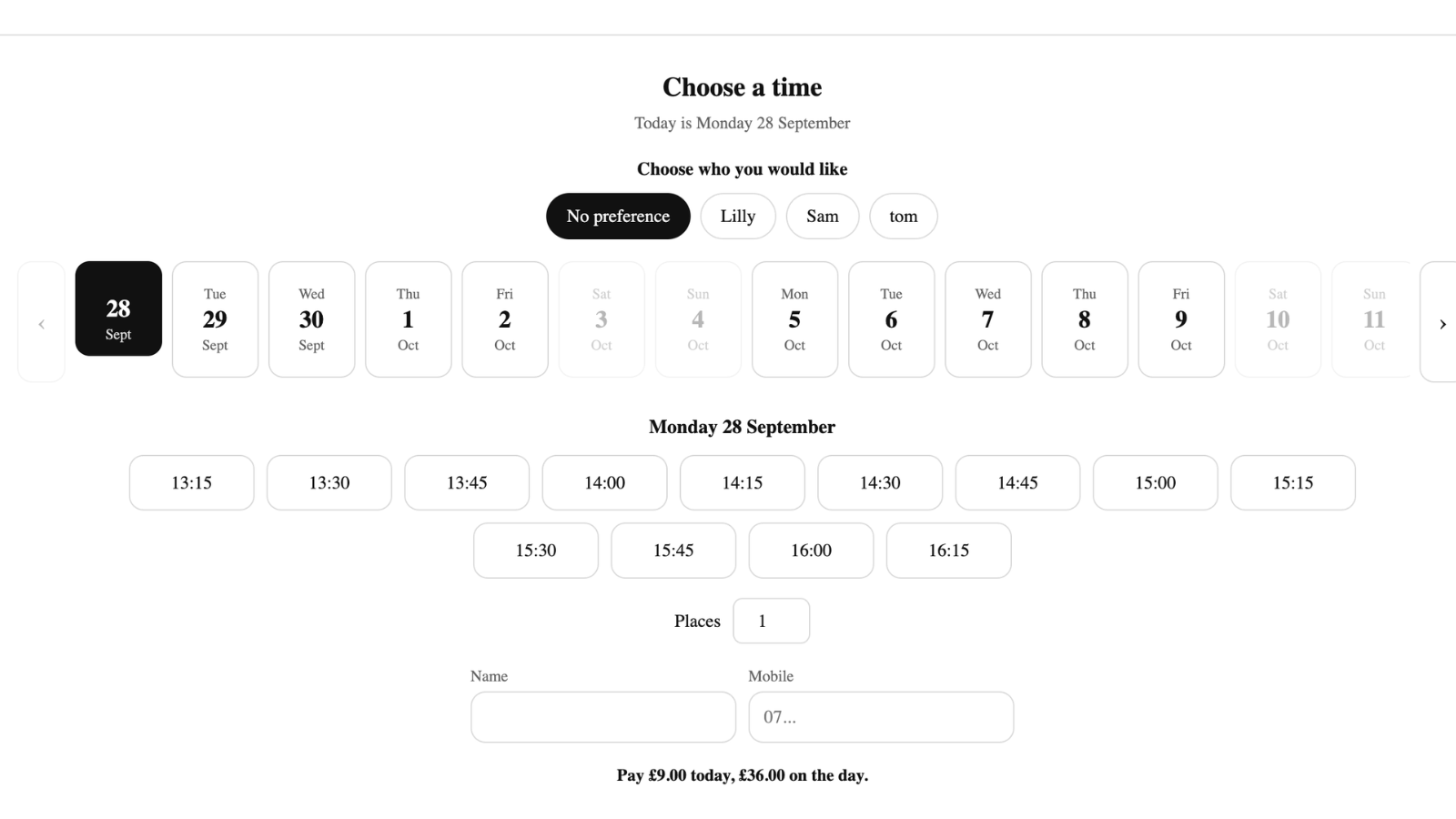
The interval model
Booking Slot does not have a grid of slots. It has intervals.
A booking is a start time, an end time, and a resource. A sixty-minute cut with a fifteen-minute buffer starting at two o'clock occupies that stylist from 14:00 to 15:15. Nothing else about it is stored, because nothing else is needed.
Availability is then a question with a precise answer: given this resource's working hours, their time off, every interval already on them, and any busy periods pulled from their Google Calendar, which intervals of the required length remain? That calculation runs fresh on every request. There is no cached timetable to go stale.
The consequence is that service lengths are arbitrary. Fifteen minutes, twenty, forty-five, ninety: all of them are just intervals, so none of them waste time by rounding up to fit a grid.
Transactional holds, and the two-people-one-slot problem
Calculating availability correctly is only half the problem. The other half is what happens in the seconds between a customer choosing a time and paying for it.
When a customer picks a slot, Booking Slot creates a hold. That hold is written inside a database transaction that re-checks the conflict at the moment of writing. If two people pick the same two o'clock in the same second, exactly one transaction succeeds. The other is told immediately, before checkout, that the time has gone, and shown the next available one.
The hold lasts the length of the checkout. If the customer pays, it becomes a confirmed booking. If they abandon the basket, it expires on its own and the slot returns to availability without anyone doing anything.
One engine, every door
The storefront picker, the Shopify POS booking screen and the admin Calendar all call the same availability and hold endpoints. Not similar endpoints. The same ones.
This is the part that cannot be retrofitted. An app that grew a POS feature later almost always ends up with a second store of availability and a sync job between them, and no amount of making that sync faster closes the window entirely.
The practical result is that your front desk cannot take a slot the website is mid-checkout on, and the website cannot take one your barber just booked at the till. There is no race to lose because there is only one place the answer comes from.
Why none of this is on a paid tier
Booking Slot's plans limit three things: how many bookings a month, how many staff or resources, and how many texts. They do not limit the rules.
Conflict checking, transactional holds, buffers and staff time off are on the Free plan exactly as they are on Pro. The reasoning is simple. Those are not features, they are the definition of a booking app working. Charging for them means selling a product that is broken by default and asking fourteen pounds a month to un-break it.
At the Free plan's twenty-booking cap, new bookings pause with a clear message on the product page. The picker stays where it is, so nobody can buy a service with no time attached, and existing bookings are untouched.
Questions about Shopify booking app double booking
What happens when a hold expires?
The slot returns to availability automatically, with nobody having to do anything. A hold is created when a customer picks a time and lasts the length of the checkout, which is what stops a second customer taking the same slot while the first is entering their card details. If they pay, the hold becomes a confirmed booking. If they abandon the basket, close the tab or simply wander off, it expires on its own and the time goes back into the picker. Abandoned checkouts are common, so this matters: without expiring holds, a busy Saturday's abandoned carts would block out your whole afternoon.
What happens if a staff member has an event in their Google Calendar?
It blocks the slot. A staff member on the Growth plan who connects their own Google Calendar has their busy periods pulled into the availability calculation, so a dentist appointment in their personal diary quietly removes that hour from your website without anyone copying anything across. It works in both directions: their Booking Slot bookings push out to their calendar too, so what they see on their phone is their complete day. The important distinction is that this is availability data feeding the conflict check, not a sync that reconciles two systems after the fact.
Can staff deliberately override and double book someone?
No, and that is intentional. There is no override button, because an override is indistinguishable from a mistake once it is in the calendar, and the whole point of the engine is that the calendar can be trusted. If you genuinely have the capacity to run two things at once, the honest way to express that is a second resource: another chair, another room, another member of staff. If you need to squeeze someone in outside normal hours, extend that person's hours or add a one-off block rather than stacking two bookings on one resource.
What happens when the Free plan hits its booking limit?
New online bookings pause with a clear message on the product page, and the picker itself stays exactly where it is. That is the part worth understanding: because the picker remains, nobody can add a service to their cart without a time attached to it. Your existing bookings are completely untouched and continue as normal, reminders included. You upgrade when you decide to, rather than because your product pages quietly broke and you started taking money for appointments that have no slot behind them.
Try Booking Slot free on your store
Install in a few minutes, link one product and take a test booking. Free for one resource and 20 bookings a month, then flat pricing from £14.99.