
Staff hours, time off and automatic assignment
Availability is only as good as the staff data behind it. Booking Slot gives every person their own weekly hours, one-off time off and the services they can deliver, then does the assignment for you when a customer does not mind who they see.
The problems this solves
- One opening-hours setting for a team that works different days
- Holiday booked but slots still selling
- Customers always picking the busiest person
- Staff features locked to expensive tiers
How Booking Slot handles it
Hours per person
Different days, split shifts, alternate Saturdays.
Time off
Holidays, training, lunch. Blocked for that person only.
Any available
The app picks the first free qualified person and spreads load.
Every plan
Time off and conflict checking are on Free too. Plans limit the number of staff, not the rules.
Availability is only as good as the staff data behind it
Every booking app will show a customer some times. Whether those times are real depends entirely on how well the app models the people doing the work.
A single opening-hours setting is the usual failure. The shop opens at nine, so the picker offers nine, even though the stylist who does colour does not start until eleven on a Tuesday and the other one has Wednesdays off entirely. Customers book times nobody can work, and somebody rings them back to move it.
The fix is not complicated, it is just work the app has to be willing to do: every person gets their own hours, their own time off, and their own list of what they can actually deliver. Booking Slot does that for every resource, on every plan, because availability that is wrong is worse than no availability at all.
A shop does not have opening hours for booking purposes. It has as many sets of hours as it has people.
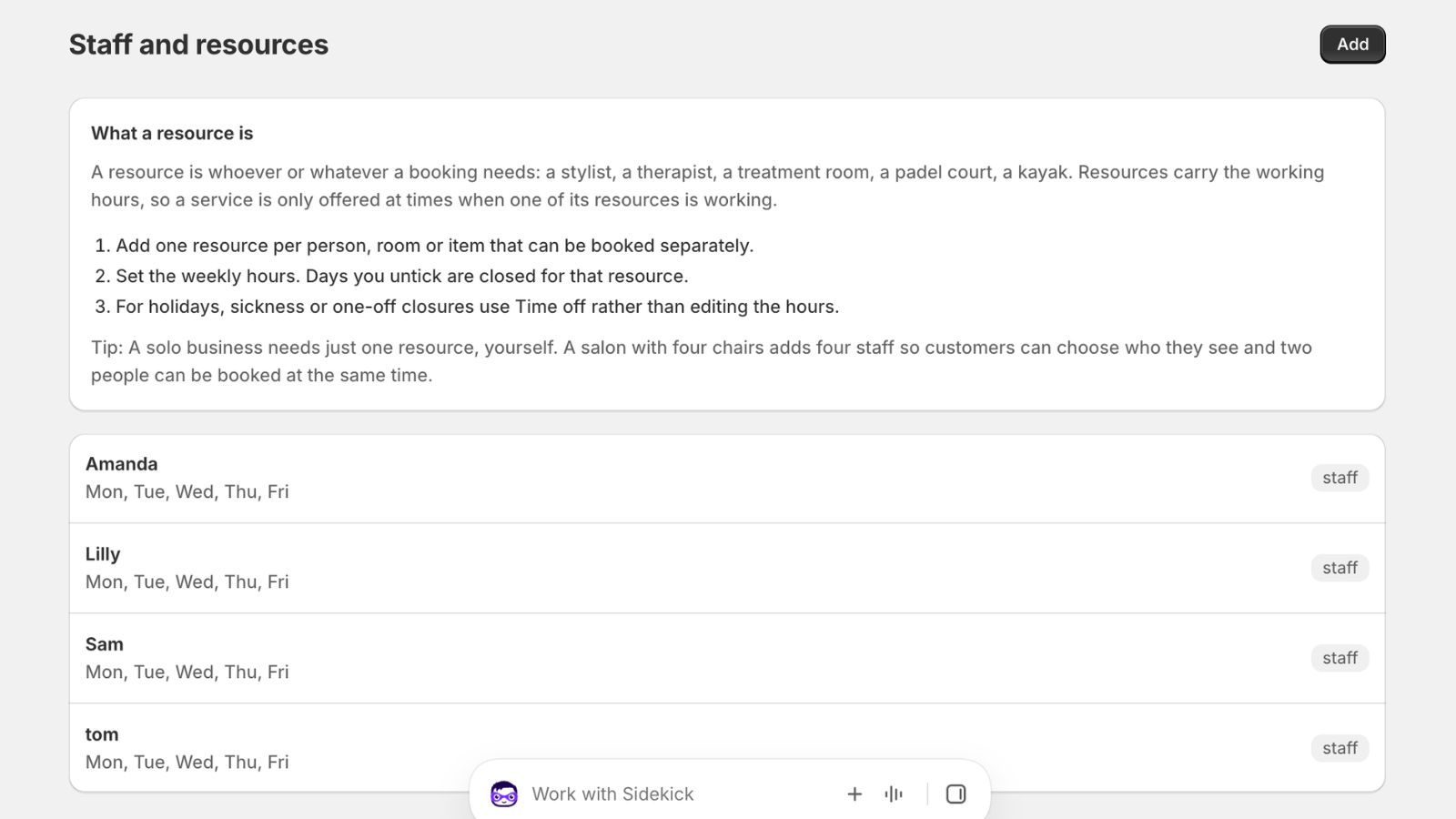
Hours, and the shapes a real rota takes
Weekly hours are set per person, per day, and they are not limited to one block. A stylist who works nine to one and then three to seven has two blocks on that day, and the gap in the middle is simply not offered.
Alternate weeks work the same way. Someone who does every other Saturday has that pattern on their record rather than in somebody's head, so the website stops selling the Saturdays they are not in.
Hours are the first thing to get right and the thing most worth spending time on during setup. A salon with six stylists takes about twenty minutes to enter properly, and after that the picker is correct without anyone thinking about it again.
- Per-person weekly hours, different every day if needed
- Split shifts, with the gap unbookable
- Alternate-week patterns for staff who rotate
- Hours per person, never one setting for the whole shop
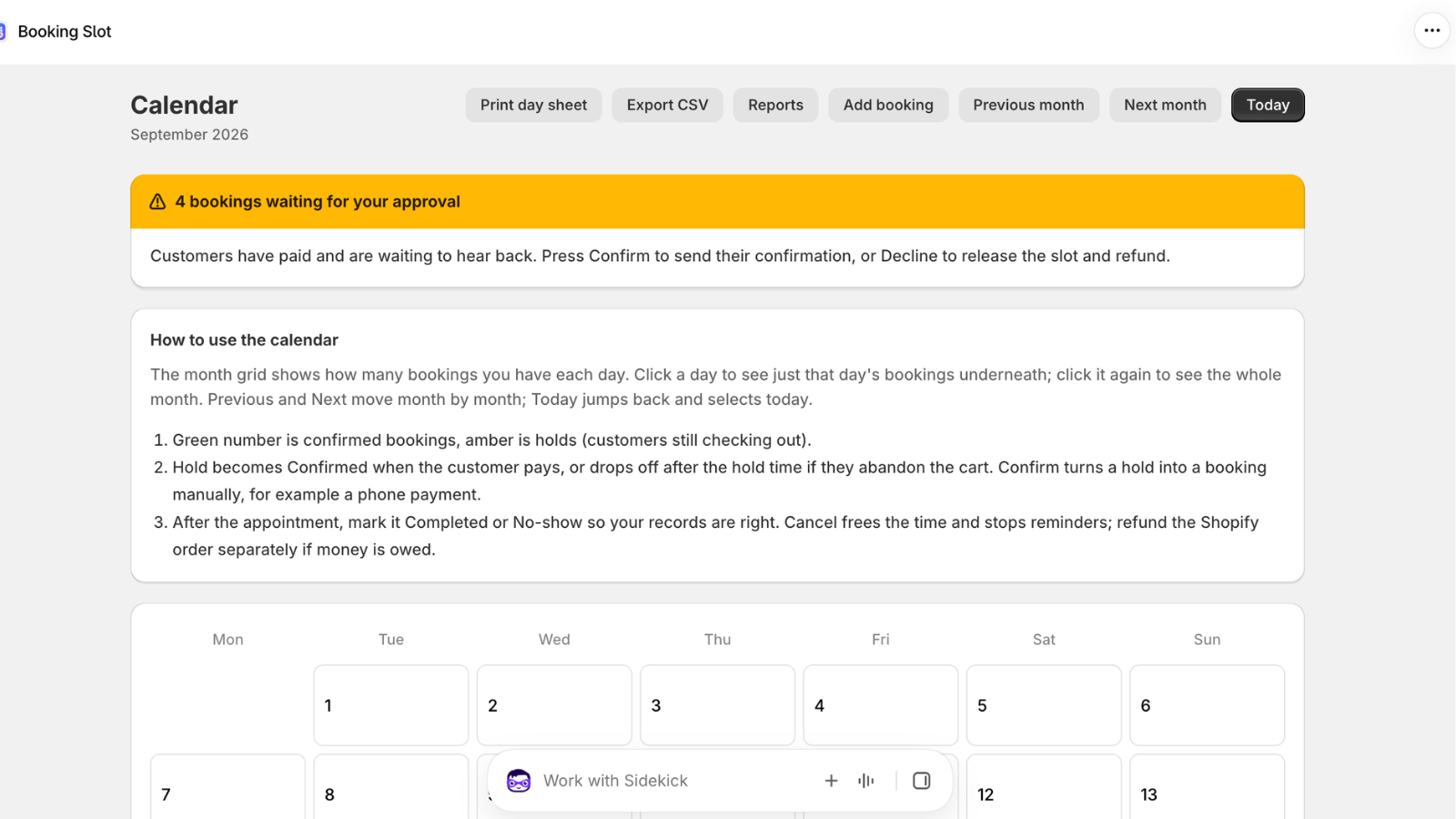
Time off, which is where holidays stop selling
The classic complaint about booking apps is the holiday that went in the rota but not the app, so the website kept selling that week.
Time off in Booking Slot is a block against one person, with a start and an end. It covers a two-week holiday, a training day, a dentist appointment on a Tuesday afternoon, or a lunch break that repeats every working day. It blocks that person only; everyone else carries on as normal.
Staff on the Growth plan can also connect their own Google Calendar, which pulls their busy periods in automatically. A personal appointment in their own diary removes that hour from the website without anyone copying it anywhere, and their bookings push out the other way so their calendar is complete.
Any available, and why it spreads the load
Most customers have a preference, but a sizeable minority do not, and what the app does with those bookings shapes your week.
When a customer picks any available, Booking Slot finds the first free person who can deliver that service, which naturally distributes new customers rather than piling them all onto whoever happens to be listed first. Over a month that is a meaningful difference in how even the rota feels.
Customers who do want a specific person pick them by name and see only that person's genuinely free times. Both options sit in the same picker, so nobody has to understand your staffing to book.
Resources are not only people
A resource in Booking Slot is anything with a calendar that can only be in one place at a time. That covers staff, but also treatment rooms, chairs, courts, bikes, kayaks and pieces of equipment.
The useful consequence is that a service can require more than one. A clinic treatment that needs both a practitioner and a room is only offered when both are genuinely free, which is the thing spreadsheets get wrong constantly.
Plan limits count resources rather than staff specifically: one on Free, two on Starter, eight on Growth, unlimited on Pro. A two-chair barber shop with two barbers is two resources. A clinic with three practitioners and two rooms is five.
Questions about Shopify staff scheduling booking
How many staff does each plan cover?
One on Free, two on Starter at £14.99, eight on Growth at £39.99 and unlimited on Pro at £79.99, with twenty percent off annual billing. What matters is that the limit counts resources rather than staff specifically, so a clinic with three practitioners and two treatment rooms is five, not three. Work your own number out before picking a plan. The scheduling rules themselves are identical on every tier: a two-chair shop on Starter gets exactly the same engine as a twenty-person clinic on Pro.
Can a staff member see only their own bookings?
Not yet as a dedicated per-staff view. Admin access is controlled by Shopify's own staff permissions, so you decide who can open the app at all, but everyone who can see the Calendar sees the whole Calendar. A filtered view showing one person only their own day is on the roadmap. In the meantime, the practical workaround most shops use is Google Calendar: a staff member on the Growth plan connects their own calendar, their bookings push out to it automatically, and they look at their own diary on their own phone.
Can I move a booking to a different member of staff?
Yes, from the Calendar, and the customer's order is untouched by it. Reassigning checks the new person's availability first, so you cannot accidentally move a booking onto someone who is already busy or on holiday. This is the normal way to handle cover at short notice: the appointment stays exactly as the customer booked it, with a different person delivering it, and nobody is refunded and re-charged just to change who is doing the work.
Can a resource be a room or a piece of equipment rather than a person?
Yes. A resource in Booking Slot is anything with a calendar that can only be in one place at a time, which covers staff, treatment rooms, chairs, courts, bikes, kayaks and specific equipment. The useful part is that a service can require more than one at once: a clinic treatment that needs both a practitioner and a room is offered only when both are genuinely free, which is exactly the thing whiteboards and spreadsheets get wrong. Remember that each one counts toward your plan's resource limit.
Try Booking Slot free on your store
Install in a few minutes, link one product and take a test booking. Free for one resource and 20 bookings a month, then flat pricing from £14.99.